
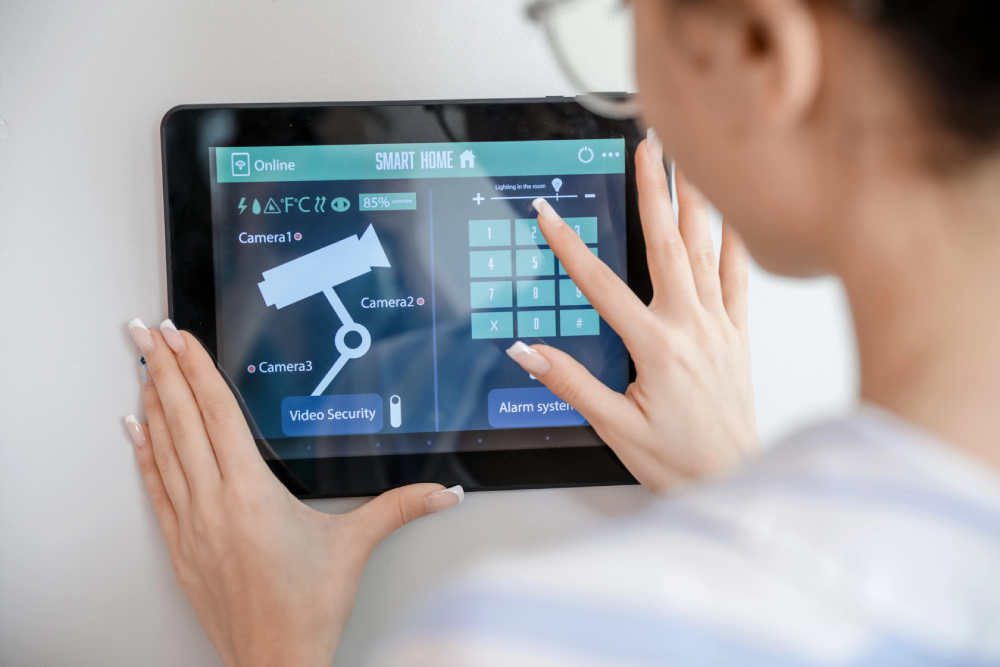
Smart homes are designed to simplify life, but even advanced technology can encounter hiccups. Devices may lose connectivity, automation routines can misfire, and unexpected alerts can interrupt daily routines.
Knowing how to troubleshoot common issues allows homeowners to maintain comfort, security, and convenience without frustration. Smart home troubleshooting covers network performance, device compatibility, battery management, and software updates.
With the right strategies, your home can stay responsive and easy to manage. This guide explains practical solutions and preventative steps to keep your smart home technology functioning at its best.
Understanding Device Compatibility
Many smart home issues begin with compatibility conflicts. Devices from different brands may use Wi-Fi, Bluetooth, Zigbee, or Z-Wave, and they do not always communicate smoothly. For example, a smart camera from one manufacturer may not integrate fully with a smart thermostat from another.
To reduce conflicts, check for universal standards like Matter™, which simplifies integration across brands. Until adoption grows, consider a smart home automation solutions hub that links all devices and allows them to communicate efficiently.
Solving Wi-Fi Connectivity Issues
Reliable Wi-Fi is the backbone of any smart home. Weak signals or network interruptions can cause cameras to drop feeds, lights to malfunction, and smart appliances to fail. Start by checking that the router is on, connected, and using the correct password.
Restarting the router and devices can refresh connections. Position devices closer to the router if possible, or consider a mesh network to extend coverage throughout the home.
Homes with multiple floors, thick walls, or large square footage benefit most from a whole home Wi-Fi setup. A strong network also supports smart security solutions like connected alarms and sensors.
Battery Management for Smart Devices
Battery issues are common in wireless smart devices. Devices placed far from routers drain faster because they constantly search for signals. Regularly check battery levels and replace or recharge them according to manufacturer instructions.
Adjust device settings to reduce unnecessary energy consumption. Some devices allow you to disable features you do not use, which prolongs battery life.
Troubleshooting False Alerts and Automation Errors
Smart security cameras, sensors, and other automated devices sometimes trigger alerts at the wrong time. False alarms can result from pets, wind, moving branches, or direct sunlight. Adjust device placement away from heat sources and direct sunlight.
Set up smart zones to ignore motion in certain areas. Regular maintenance and inspection prevent unwanted notifications.
Automation routines, like lights or thermostats, may also malfunction if devices are not connected properly. Restarting devices and checking routines in the corresponding app can restore correct operation.
Keeping Devices Updated
Software and firmware updates improve performance and fix vulnerabilities. Outdated software often causes connectivity issues, false alerts, or device malfunctions. Enable automatic updates when possible, or schedule regular checks in device apps.
Updating your router firmware is equally important for network stability. Keeping both devices and routers current reduces the chances of errors and maintains a secure environment.
Power Supply and Outlet Issues
Smart home devices often depend on consistent power. A device that does not respond may be unplugged, or the outlet may have lost power.
Check power strips and circuit breakers before troubleshooting devices. Test outlets by plugging in a different device to confirm electricity flow. Consistent and reliable power prevents devices from losing settings and avoids unnecessary resets.
Device Interaction Challenges
Devices may fail to work together if network connections are weak or physical obstructions block signals. Metal surfaces, walls, or even furniture placement can interfere with wireless communication.
Subscriptions, accounts, and software updates must also remain active for devices to integrate properly. Resetting unresponsive devices and checking app updates can restore functionality.
Understanding how devices interact helps in planning placement and network setup for smooth operation.
Advanced Troubleshooting Steps
If basic troubleshooting fails, more detailed steps may be required. Contact device manufacturers for guidance, especially if hardware or firmware issues persist. Search online forums and video tutorials for specific solutions.
Some issues are widespread, and solutions may already exist in community discussions. Online guides also explain setup nuances for complex systems, including mesh Wi-Fi networks, multi-device integration, and advanced automation routines.
For persistent network issues, contact your Internet Service Provider to verify the router or service is functioning correctly.
Maintaining a Smart Home for Long-Term Performance
Proactive maintenance helps devices last longer and perform better. Keep devices clean, dry, and away from areas prone to dust, moisture, or heat. Review charging and battery instructions to prevent degradation.
Organize cables to avoid damage and ensure proper ventilation. Regularly audit device settings to optimize performance and remove unnecessary automations. A maintained smart home operates efficiently, minimizing the need for frequent troubleshooting.
Integrating Advanced Systems
Smart homes are not limited to lighting, climate control, or security. Luxury home audio/video solutions integrate media systems into everyday life, but they require reliable connectivity and proper setup.
A weak network can cause streaming interruptions, audio lags, and system errors. Integrating audio/video systems with smart devices and Wi-Fi strengthens performance, providing uninterrupted entertainment experiences.
Additionally, golf simulators or other high-tech recreational systems rely on stable connections and precise configurations for accurate operation. Planning integration in advance prevents future troubleshooting headaches.
When to Call Professionals
DIY troubleshooting works for minor issues, but complex setups benefit from professional assistance. Technicians can install hubs, optimize network placement, configure automation, and integrate devices from multiple brands.
Professional guidance reduces setup errors, eliminates blind spots, and maximizes system performance. In addition, ongoing support from experts helps maintain devices, update software, and resolve persistent connectivity problems efficiently.
Preventative Habits for Smart Home Reliability
Simple habits reduce the need for constant troubleshooting. Regularly inspect devices for dust or moisture, confirm that firmware is updated, and monitor network performance. Keep backup power options for critical devices like security cameras and smart locks.
Document subscription and account information for devices that require monthly or annual services. Planning your smart home layout carefully can prevent many common issues before they arise.
Take Your Smart Home to the Next Level with Pure AV
At Pure AV, we design and install complete smart home systems tailored to your lifestyle. Our smart home troubleshooting expertise, combined with smart home automation solutions, guarantees smooth connectivity and device performance.
Explore our Wi-Fi/networking solutions, luxury home audio/video solutions, and golf simulators to enhance your home technology effortlessly. Contact us to take your smart home to the next level.
Leave a Reply